Darwaza

ssh client for linux · terminal · sftp · port forwarding · mcp

An agent works your servers. The keys stay with you.

A full SSH client: terminal, file browser, port forwarding. Works offline and without an account — and Claude Code, Codex or Cursor can work out what is happening on your machines without ever seeing a password or a private key.
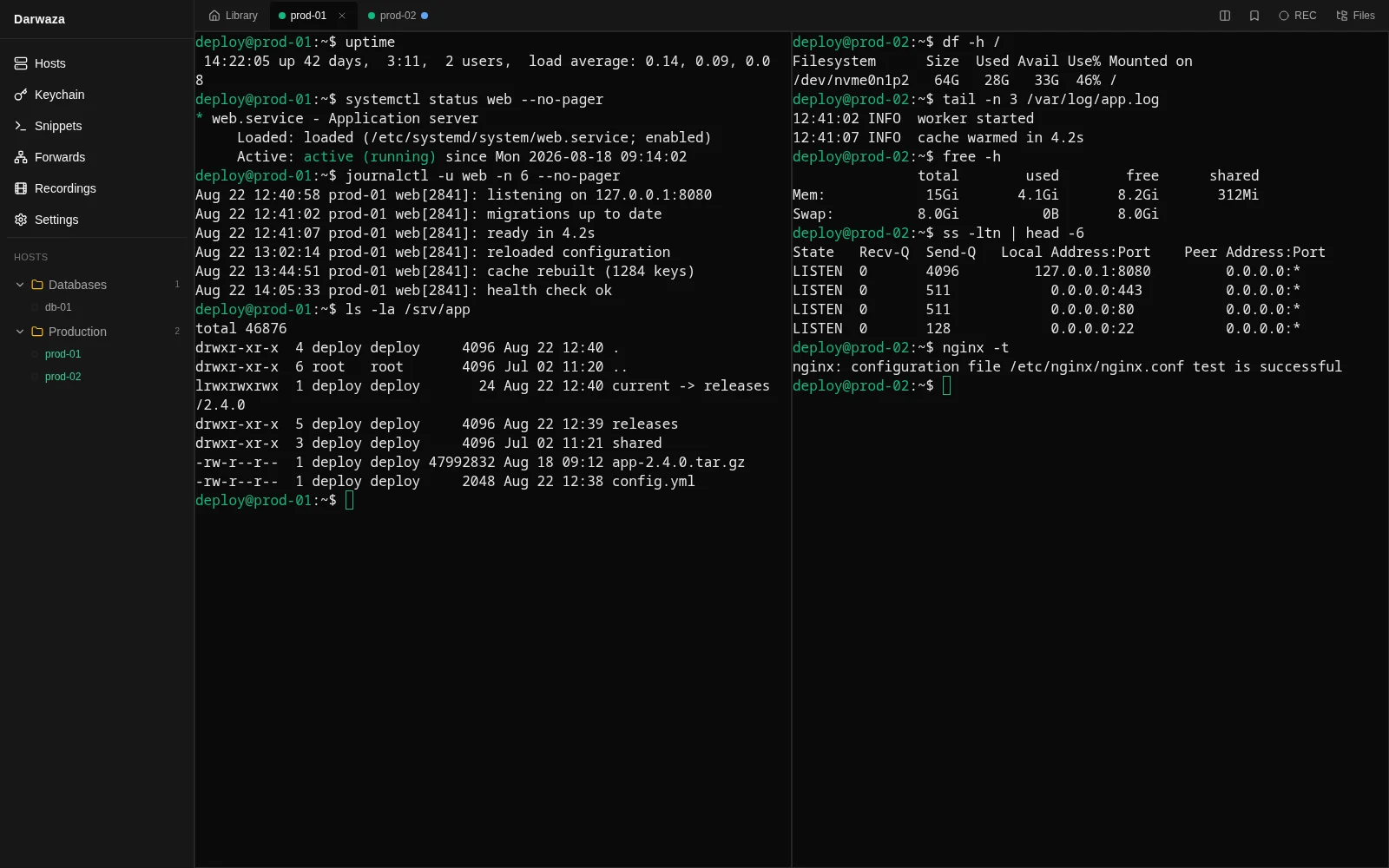
Darwaza terminal with several SSH sessions in side-by-side panes

mcp

How the agent gets access

Point Claude Code, Codex or Cursor at the app and the agent can work out what is going on across your machines. The credentials stay here: the agent names a host, Darwaza does the connecting. Nothing appears on the server itself — no agent, no service, no dependencies: to it this is an ordinary SSH session, the same as yours. So it also works where nothing can be installed.
Two steps

  1. 1 Copy the line from the app settings into your agent’s config — the format is the same for all of them.
  2. 2 Tick the hosts the agent may use. The box is off for every host, including ones you already had.

What the agent can do

  • Reconnaissance: the hosts open to it, a read-only command, a server summary in one call — system, disk, memory, listening ports, failed services — file search, a log of what has already been done on this server, and notes about the server it keeps itself.
  • Files: read, list a directory and stat a file, download and upload, make a directory, rename, delete, patch instead of resending the whole file, and copying server to server directly, bypassing your disk.
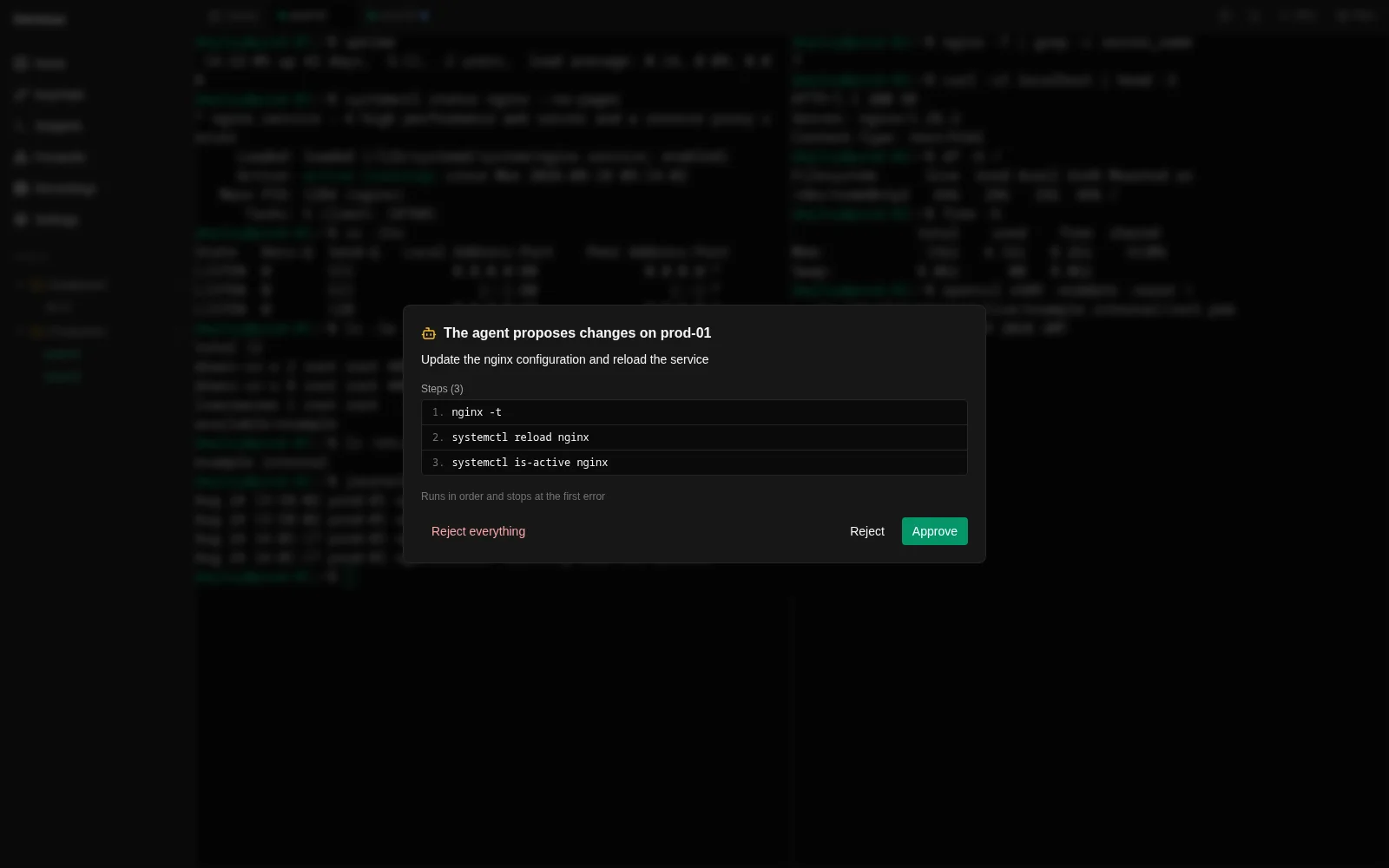
  • Actions: a plan of changes — you see every command before the first one runs; restarting a service with a config check before and a state check after; your snippets, if you opened them; a temporary port forward to an internal service; a tab with the command typed in — you press Enter.
Darwaza window: the agent proposes a plan, every command visible before anything runs

Where the line is

  • − Reading happens without asking. Any change happens only after you confirm it.
  • − It cannot see hosts you have not opened to it, and cannot find out whether they exist.
  • − A command that changes nothing runs straight away. A changing one runs only inside a plan you confirmed.
  • − Watching output while it runs is allowed, but not forever: the app limits the time — 15 seconds by default, two minutes at most.
  • − A read-only command is cut off after thirty seconds. A step of a confirmed plan after fifteen minutes: builds and migrations take that long, and cutting one off mid-change is worse than waiting.
  • − A few things do not run even with confirmation: partitioning a disk, shutting down, editing sudoers or authorized_keys.

Command checking holds back accidents, not intent. An agent you open a host to can do exactly what a person with shell access on it can do.
What it does

Connections

  • Password, SSH key with passphrase, ssh-agent
  • Interactive server prompts, including the server’s own second factor
  • ProxyJump through a bastion
  • Agent forwarding to a host
  • Keep-alive for long sessions

Server trust

  • TOFU: the fingerprint is stored on first connection
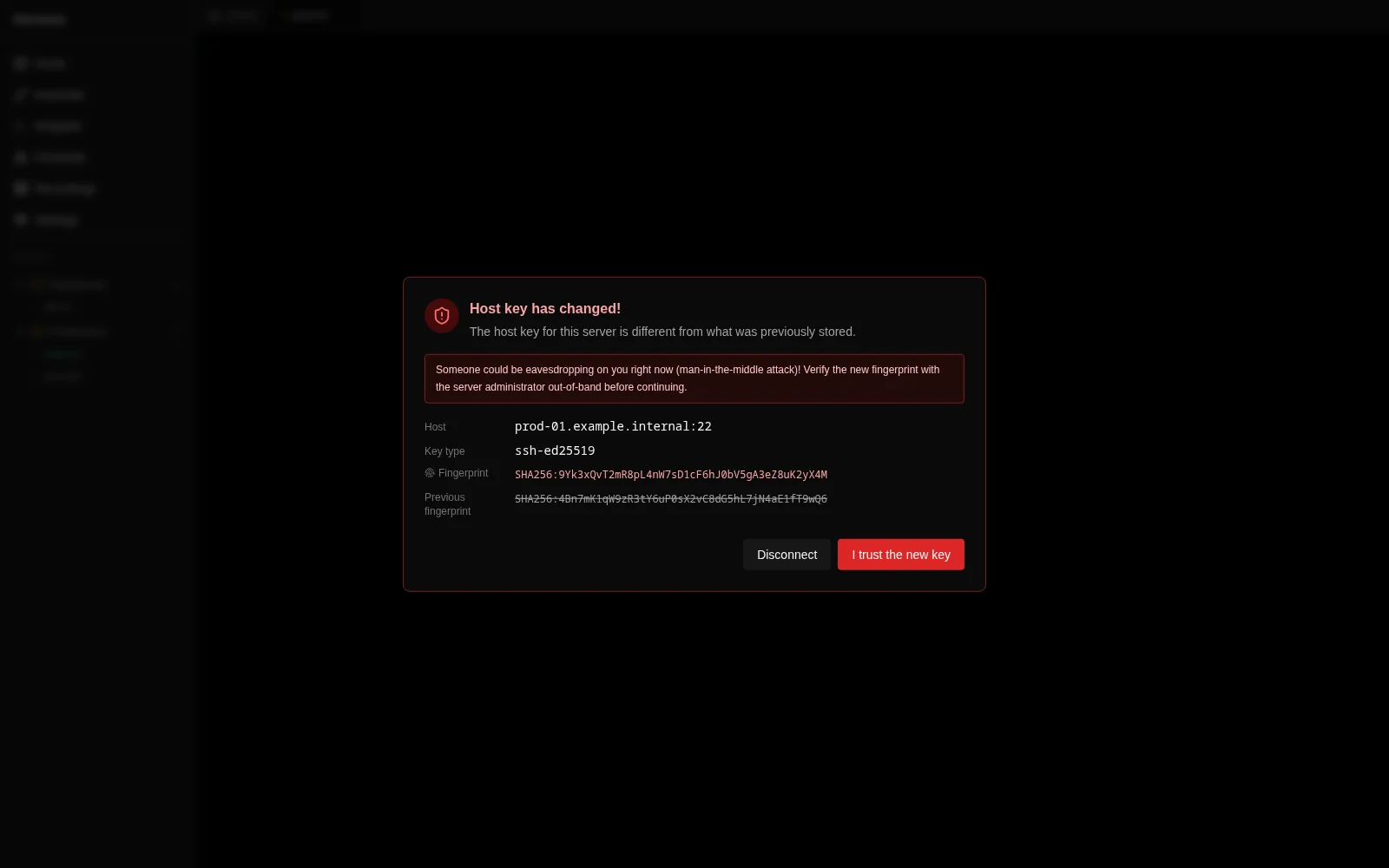
  • A separate warning when a server key changes
  • Import from ~/.ssh/config and ~/.ssh/known_hosts

Terminal

  • Tabs and up to four side-by-side panes
  • Drag tabs between panes
  • Search the output and bookmark places in it
  • Themes and font settings

Files

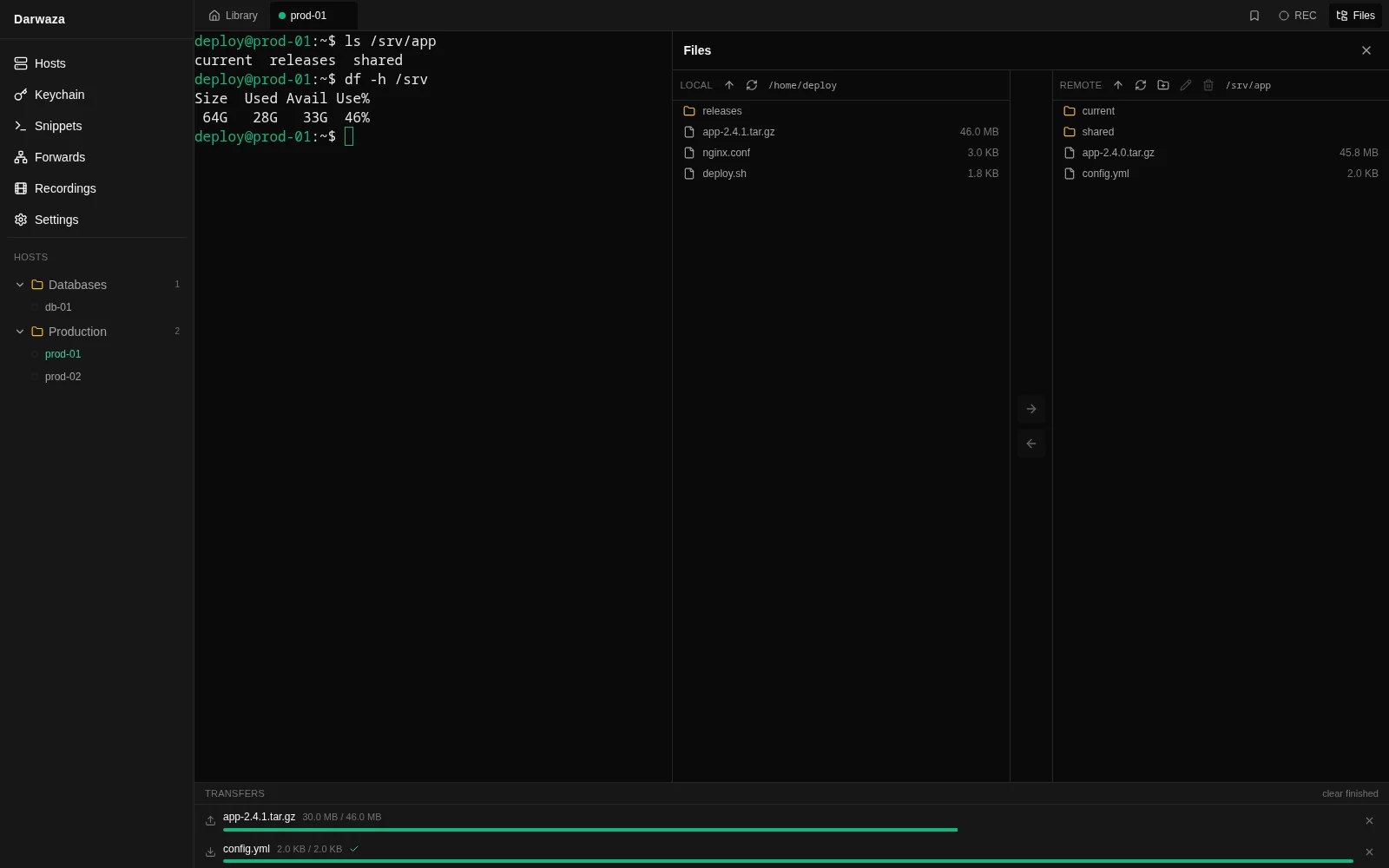
  • Two-pane SFTP browser
  • Drag between panes and from your system file manager
  • Transfer panel with progress and cancel
  • Create folders, rename, delete

Port forwarding

  • Local (-L)
  • Remote (-R)
  • Dynamic SOCKS5 (-D)

Also

  • Command snippets
  • Session recording in asciinema format
  • Connection history
  • Six interface languages
  • A master password on top of the system store, with a recovery key
  • Two-factor on unlocking
Darwaza two-pane file browser with an SFTP transfer in progress

What makes it different

Works with no account and no network
Fully, not in a trimmed-down mode. This is a principle, not a free tier: signing up is not a condition of launching the app and never will be.
The server cannot read your secrets
The encryption key is derived from your password on your device and never leaves it. We state the consequence ourselves: the password cannot be recovered, and there will never be a "reset by email".
No telemetry
None at all. Crash reports are files on your disk, collection is off by default, and they are sent only to the address you typed in. No counters, no trackers — this page included.
Two-factor belongs to the account, not forced onto SSH
We connect to servers as plain ssh does: the server picks the authentication method, not us. We do not "improve" SSH beyond recognition.
Session recordings in a standard format
asciinema, not a format of our own: they play with the stock asciinema play, convert with third-party tools and stay valid even if the session drops. No lock-in.
Six languages
Uzbek, Russian, English, Kazakh, Kyrgyz and Turkish — complete, not half-done. Three of them are hard to find anywhere else.
Honest about limits
Today we build for Linux only, and that is what the page says. A site promising five platforms and delivering one loses trust exactly once.

How the security works

No "military-grade encryption" — specifics you can check.
darwaza --security
· Argon2id: 64 MiB of memory, 3 passes
· AES-256-GCM for records, a fresh random nonce every time
· The key is derived on your device and never leaves it
· Secrets in the system keyring or in a store behind a master password
· TOFU with an explicit warning when a server key changes

What the server sees

  • + your email address
  • + when and from which IP you signed in
  • + a list of devices with the names you gave them
  • + how many records you have, their types and modification times
  • + the size of each encrypted blob
  • + your encrypted second-factor secret

What it does not see

  • − host names and addresses
  • − logins
  • − passwords
  • − private keys and passphrases
  • − the contents of anything at all
Darwaza warning about a changed server key, showing both fingerprints

There is no password reset by email

Your data is encrypted with a key we do not have: we cannot guess your password or send you a new one. That is why a recovery key is issued when you sign up — 32 characters to copy onto paper and put away. Lose both the password and the key, and nobody can bring the server copy back. Everything on your own device stays where it is.

Download

Today we build for Linux only: deb, rpm and AppImage. We will not promise Windows or macOS before they exist.

darwaza --version
# No builds yet. The moment there is one, the link will be here.